How to Watch Hindi Movies on Prime Video in Bangladesh

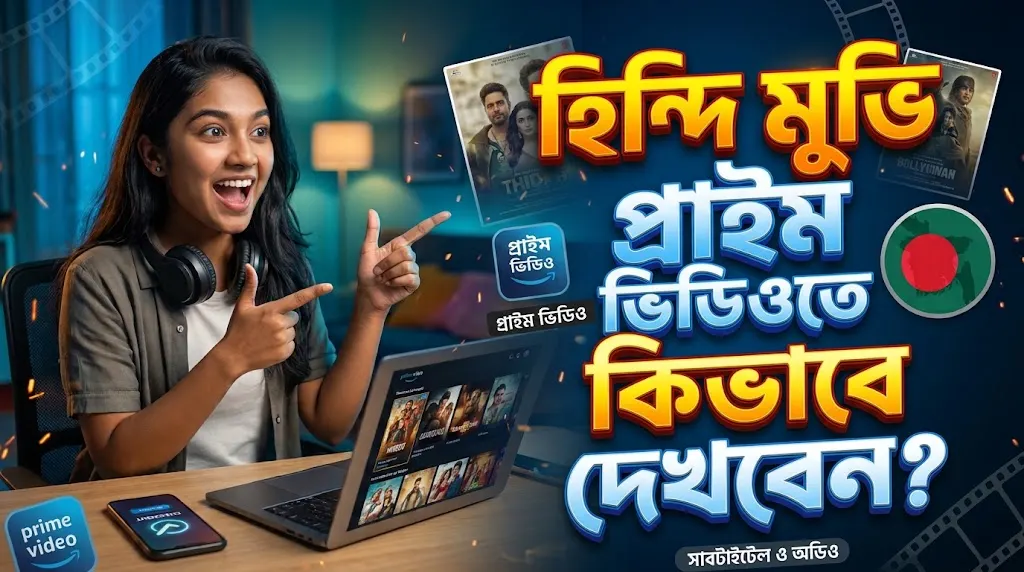
To watch Hindi movies on Prime Video in Bangladesh, you need an active subscription, then you search for Hindi titles and choose Hindi audio or subtitles in the player. You can order a Prime Video Personal Profile from Tech Haat and pay with bKash, Nagad or Rocket, without an international card. Login details are sent by email.
One thing to know first: Hindi titles are not the same in every country. Amazon says Prime Video’s availability and content differ by country or region, so check each title’s page before you plan a movie night. primevideo
What Do You Need Before You Start?
You need only a few things:
- A Prime Video subscription or profile
- A phone, laptop or Smart TV
- A stable internet connection
- A local payment method such as bKash, Nagad or Rocket
Tech Haat’s product page says Prime Video works on mobile, laptop and Smart TV. If you mainly watch on a television, confirm with Tech Haat support that your package suits it before you order.
Who Will Find This Useful
This guide suits students who want a weekend break after exams, office workers who relax with a movie after work, and families who enjoy Bollywood together. Remember the one-screen limit explained below if more than one person will watch at the same time.
How to Find Hindi Movies on Prime Video
Follow these steps once your login details arrive:
- Log in with the details Tech Haat sends to your email and open your own profile.
- Use the search bar to type a movie name, an actor’s name or the word “Hindi”.
- Open the title page and look for the available audio languages and subtitles.
- Check whether the title is included with your subscription or needs an extra rental or purchase.
- Press play, then change audio or subtitles from the player menu if needed.
Tech Haat’s page notes that some titles may need an additional rental or purchase. Check this before paying anything extra.
Why a Hindi Movie May Not Appear
If a film you saw online is missing, it may not be licensed for Bangladesh. Subtitles and dubbed versions can also differ from title to title. This comes from Amazon’s regional licensing and is not a fault in your account.
Amazon’s official announcement lists Bangladesh among the territories where Prime Video launched. For device-specific help, see Prime Video Help.
How to Switch to Hindi Audio or Subtitles
Play the movie and tap the screen to show the controls. Select the speech bubble icon, then choose Subtitles or an option under Audio. androidauthority
Many viewers like Hindi audio with English subtitles, especially for fast dialogue or regional slang. Others prefer subtitles off. Not every movie or series offers multiple audio and subtitle options, so you may see fewer choices on some titles. androidauthority
How Much Does Prime Video Cost for Hindi Movie Fans?
Tech Haat currently lists three Prime Video Personal Profile durations: ৳199 for 1 month, ৳850 for 6 months and ৳1,450 for 12 months.
Here is how each option can fit different viewers:
- 1 month: A good way to try the service or catch a few films and series.
- 6 months: Works out to about ৳142 per month for regular weekend viewers.
- 12 months: Works out to about ৳121 per month for people who watch all year.
Prices can change, so check the current price and durations on the product page before you order.
What Does the Personal Profile Include?
According to Tech Haat’s product page, the package includes:
- One dedicated private profile inside a shared Prime Video account
- One screen and one device per user
- Streaming up to 4K Ultra HD on supported titles and devices
- Offline downloads for eligible content on supported devices
- Login details delivered to your email
- Fix or replacement support during the subscription period, subject to the warranty terms
Important: A Personal Profile is not a separate Amazon account. Do not expect unrestricted password changes, full account management or more than one screen at a time. If you watch on the TV, someone else cannot use the same profile on another device at the same moment.
How to Buy Prime Video in Bangladesh with bKash
You can order without a dollar card or international payment. Here is the process:
- Open the Prime Video product page on Tech Haat.
- Choose 1, 6 or 12 months.
- Click Add to cart or Buy now.
- Enter your details at checkout and select bKash, Nagad or Rocket.
- Complete your payment and wait for the email. The page lists delivery within 1 to 12 hours during office hours.
- Check your inbox and spam folder, log in and open your profile.
If the email does not arrive, message Tech Haat support on WhatsApp with your order number.
What Should You Check Before Paying?
A few minutes of checking can save you trouble later:
- The plan type is a Personal Profile, not a full personal account.
- The duration matches how long you really need it.
- The package suits the device you use most, especially a Smart TV.
- You understand the delivery time and the office-hours condition.
- You have read the refund and return policy, because change-of-mind requests after successful delivery are not normally covered.
Tech Haat describes itself as a third-party reseller of subscriptions, not Amazon. Customer reviews on the product page are seller-published feedback, so read the warranty and refund terms as well.
Frequently Asked Questions
Where can I buy Prime Video in Bangladesh?
You can buy a Prime Video Personal Profile in Bangladesh from Tech Haat, an independent reseller of Prime Video subscriptions. Choose 1, 6 or 12 months on the product page, pay in taka with bKash, Nagad or Rocket, and wait for the login details by email.
Can I watch Hindi movies on Prime Video in Bangladesh?
Yes, you can find Hindi titles on Prime Video, but the catalogue differs by country. Search for the movie after logging in, then check its details page for Hindi audio or subtitles. If a title does not appear, it may not be licensed for your region.
Do I need an international card to buy Prime Video?
No. Tech Haat’s product page says you can order in Bangladeshi taka with local payment methods such as bKash, Nagad or Rocket, without an international credit or debit card. Check the payment options at checkout before you confirm your order.
How do I change to Hindi audio or subtitles?
Play the movie, tap the screen to show the controls and select the speech bubble icon. Pick Hindi under Audio or choose subtitles from the Subtitles list. Not every title offers extra audio tracks, and the menu can look slightly different on each device.
How many screens can I use at the same time?
The Personal Profile supports one screen at a time and one device per user, according to Tech Haat’s product page. If you are watching on the TV, another person cannot stream on a different device with the same profile at the same time.
Is a Personal Profile my own Amazon account?
No. It is one private profile inside a shared account, so you should not expect full account control or unrestricted password changes. Tech Haat’s page states this clearly. Read the package terms before payment if you need a fully independent account.
How long does delivery take, and what if login stops working?
Tech Haat lists delivery within 1 to 12 hours during office hours. If access stops working during the warranty period, contact support with your order details for a fix or replacement, subject to its terms. Change-of-mind requests after successful delivery are not normally covered.
Can I download Hindi movies to watch offline?
Prime Video allows offline downloads for selected titles on supported devices, and Tech Haat’s page lists this for eligible content. Availability depends on the title and your device, so check the title page before you rely on downloads for travel or weak internet.
Ready to Start Your Hindi Movie Night?
Pick a duration that fits your budget, pay with a local method and check each title’s audio and subtitle options after you log in. To compare other Prime Video packages, browse Tech Haat’s Prime Video options and confirm the plan details before ordering.